About Mocha Barcode
Mocha Barcode is a standard web browser with barcode support. It makes it easy to build web applications for company use. Scan barcodes direct to your web page, and request the company server to return data online, such...
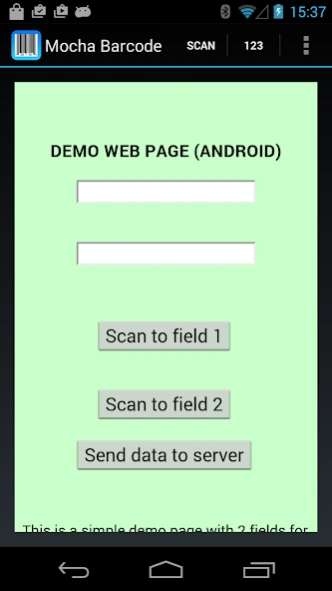
Mocha Barcode is a standard web browser with barcode support. It makes it easy to build web applications for company use. Scan barcodes direct to your web page, and request the company server to return data online, such as product information and goods in stock.
Scan barcodes with the Android camera direct to your Web application. No need for special designed Apps.
Download today a free demo version, and try it in your own environment. A dialog will pop up telling it is a demo after 3 scans, otherwise it is the full product with no limitations
◾Use the device camera as barcode scanner.
◾Can return data to a field.
◾Can handle many fields on a single web page.
◾Can call a Javascript function on the Web page after a scan.
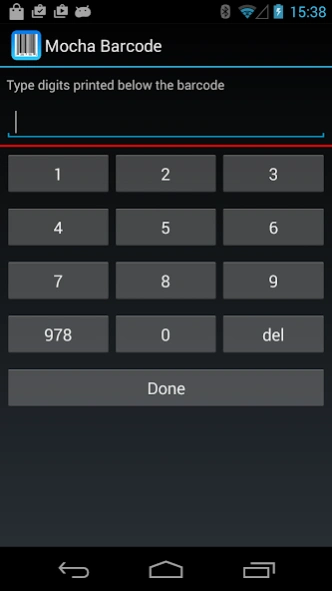
◾Has keypad for manual barcode data typing.
◾Can remove first and/or last digit from a scan.
Previous Versions
Here you can find the changelog of Mocha Barcode since it was posted on our website on 2018-03-16 19:02:34.
The latest version is and it was updated on 2026-10-12 22:24:37. See below the changes in each version.
Mocha Barcode version 1.9
Updated At: 2025-08-03
Changes: Updated to the latest Android SDK
Mocha Barcode version 1.8
Updated At: 2024-11-15
Changes: On Android 15 OS phones, the display was not correct
Mocha Barcode version 1.7
Updated At: 2024-09-27
Changes: Callback from Chrome Browser had a problem with new OS types. Did not return the barcode to the old page.
Mocha Barcode version 1.5
Updated At: 2023-03-22
Changes: Better handling for input type="file". Use it to download a file to the web page.
Mocha Barcode version 1.4
Updated At: 2022-01-13
Changes: - Access Location Services from HTML5.
- Minor bug fixing
Mocha Barcode version 1.3
Updated At: 2019-03-07
Changes: Allow http URL with Android OS v 9. As default this OS requires https.
Mocha Barcode version 1.1
Updated At: 2017-10-02
Changes: - New barcode scanner module. Can still use zxing, if selected in settings.
- Call mocha barcode from the Chrome browser and get the scanned barcode back.
- Web page loaded in mocha barcode, can download an image file or use the camera (requires OS 5.0+)
Disclaimer
Official Google Play Link
We do not host Mocha Barcode on our servers. We did not scan it for viruses, adware, spyware or other type of malware. This app is hosted by Google and passed their terms and conditions to be listed there. We recommend caution when installing it.
The Google Play link for Mocha Barcode is provided to you by apps112.com without any warranties, representations or guarantees of any kind, so access it at your own risk.
If you have questions regarding this particular app contact the publisher directly. For questions about the functionalities of apps112.com contact us.